Admin
Webhook Logs
Every webhook the platform receives — from Hospitable, WhatsApp Cloud API, Beds24, Nuki — is logged here. The first place to look when something should have happened but didn't.
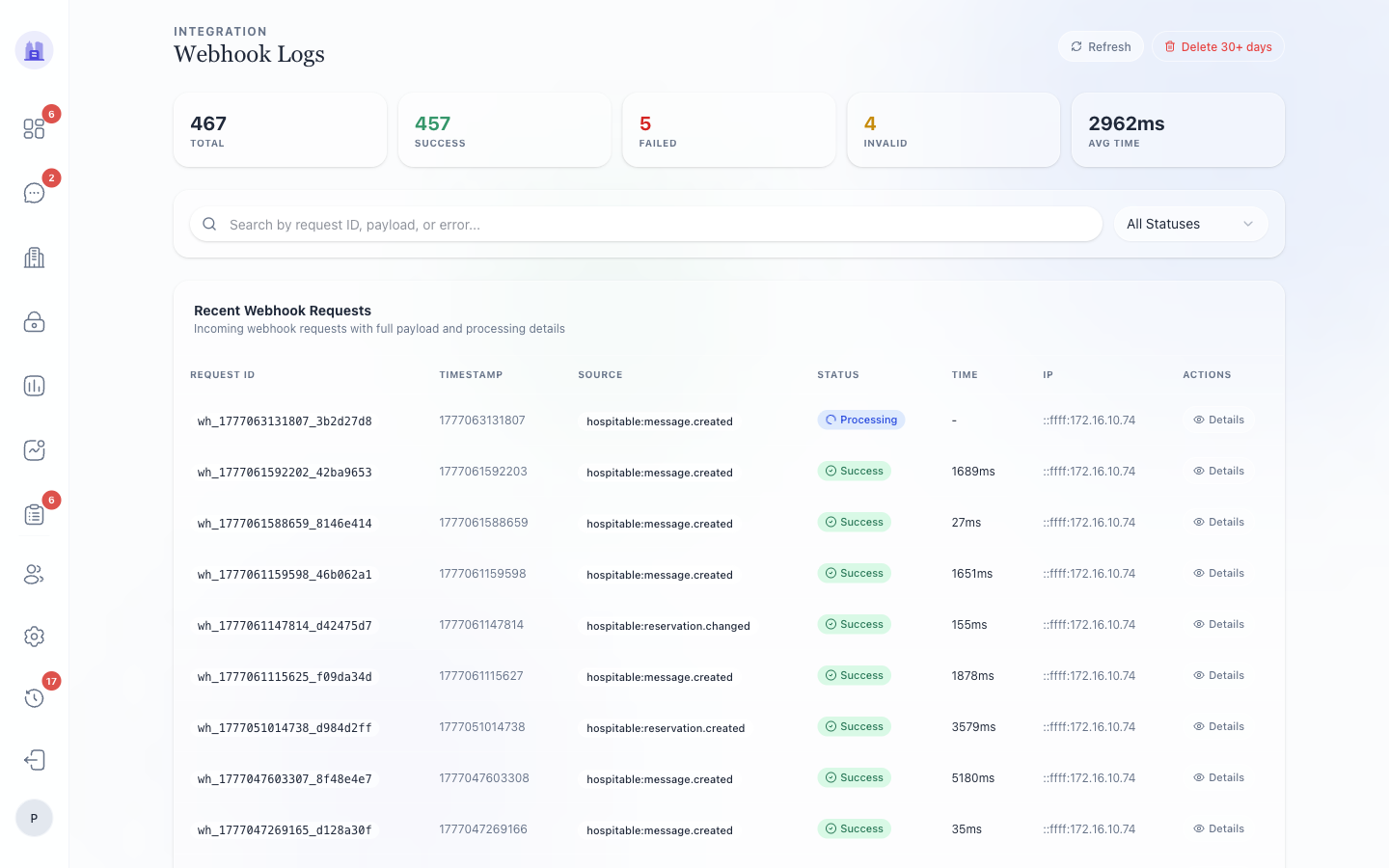
What's logged
- HTTP method, path, source IP
- Tenant resolved from the URL (
/api/webhooks/<provider>/t/<slug>) - HMAC signature verification result (
pass/fail/not_required) - Status code returned
- Payload size and a summary of parsed fields
- Downstream effect — task created, message persisted, mood updated, etc.
Filters
- Provider (Hospitable / WhatsApp / Beds24 / Nuki)
- Date range
- HTTP status (only 4xx / 5xx)
- Signature verification result
Common diagnostic flows
"A booking arrived but no tasks were created"
- Filter provider = Hospitable, find the inbound webhook.
- Verify HTTP status = 200 and signature = pass.
- Click the row → see the parsed reservation; verify it was inserted.
- Cross-check Activity Log for the task-seeder events that should follow.
"A guest's WhatsApp message didn't appear in the thread"
- Filter provider = WhatsApp, find the inbound webhook around the time the guest sent.
- Verify signature passed.
- If signature failed → check the tenant's
whatsappAccessTokenis still valid in Settings → Integrations. - If signature passed → check what happened downstream — was the message persisted? Did the LLM detection run?
"Webhook bot dead (every inbound rejected)"
This was #218. Symptom: 4xx on every webhook. Cause: tenants.whatsappPhoneNumberId NULL → routing couldn't identify tenant. Fix: bootstrap migration + admin can edit the field.
If you see this pattern again, check the tenant's WA config first.
Related issues
- #218 — WA bot dead (tenant config bootstrap).
- #71 — webhook signature verification (now required).
- #80 — webhook payload trust boundary.
Source: the FlatsBratislava operator manual.