Reservations
Reservation List
Two screens show you reservations:
/reservations— the basic list./v28/reports/reservations— the Reservation Report, the operator-friendly view with columns for revenue, payout, status, and quick links into each reservation.
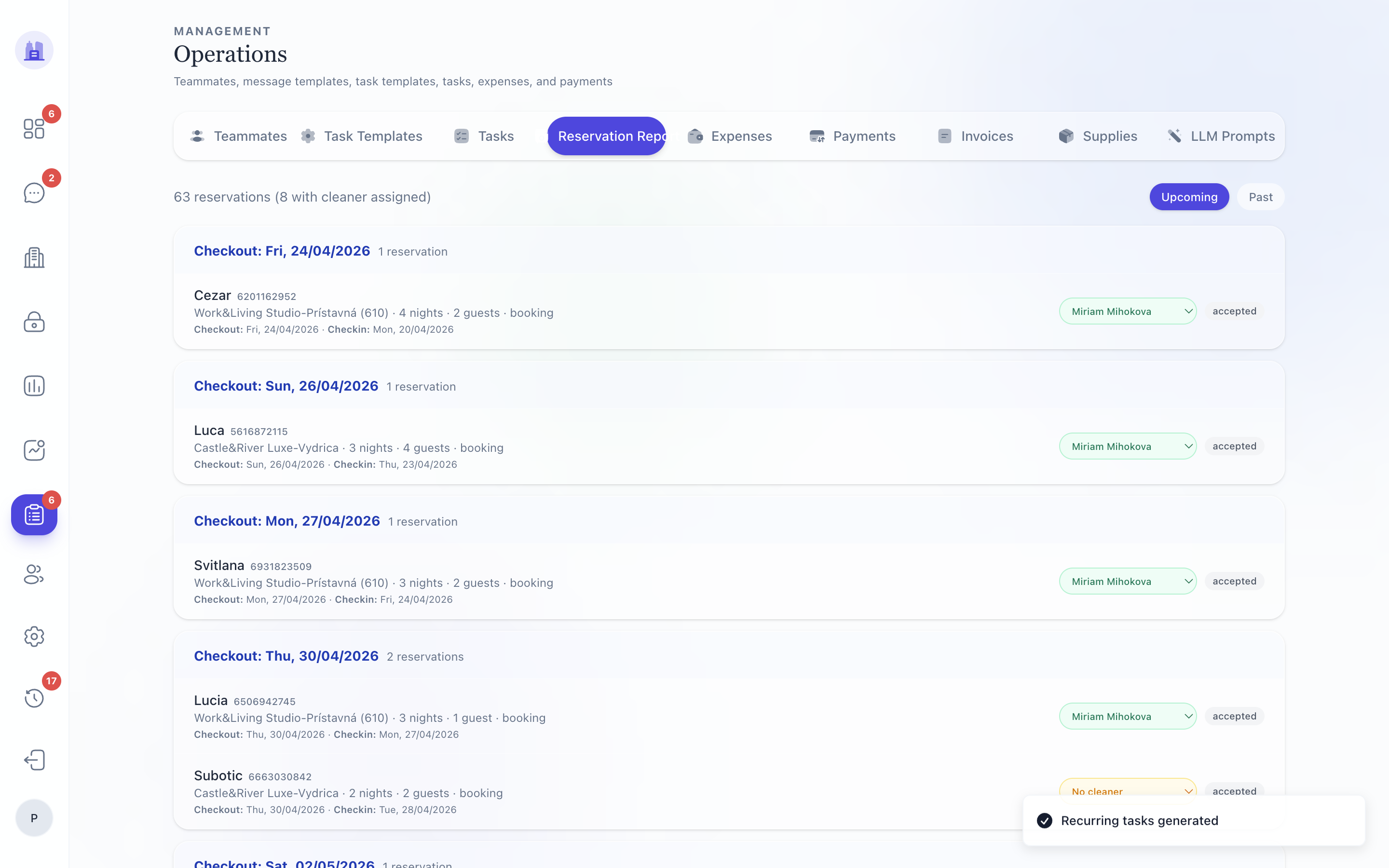
Columns in the Reservation Report
| Column | Notes |
|---|---|
| Date | Check-in date |
| Property | Property name (links to property page) |
| Guest | Guest name (links to guest profile, if you have permission) |
| Nights | Stay length |
| Channel | Booking source (Airbnb / Booking / direct) |
| Revenue | Total stay revenue (gross) |
| Cleaning | Cleaning fee |
| Net | After channel fees |
| Owner share | Configured % × Net |
| Status | confirmed / cancelled / checked-in / checked-out |
| Tasks | Count of tasks for this reservation; pending count in red |
Filters
Top of the page:
- Date range — From / To. Affects which reservations are shown.
- Property — restrict to one property.
- Channel — restrict to one channel.
- Status — show cancelled, archived, etc.
The Reservation Report respects the date filter consistently. Before #213 the v28 Payout Report had a date-filter bug where the From/To inputs were dead UI; that's fixed.
Opening a reservation
Click any row to open the per-reservation detail page. From there you can:
- Override
earlyCheckinTime/lateCheckoutTimefor this specific stay. - See the live task list for this reservation.
- See the message thread.
- Trigger Send Check-in manually (overrides the cron-fired version).
Related issues
Source: the FlatsBratislava operator manual.