Team & Access
Team & Access
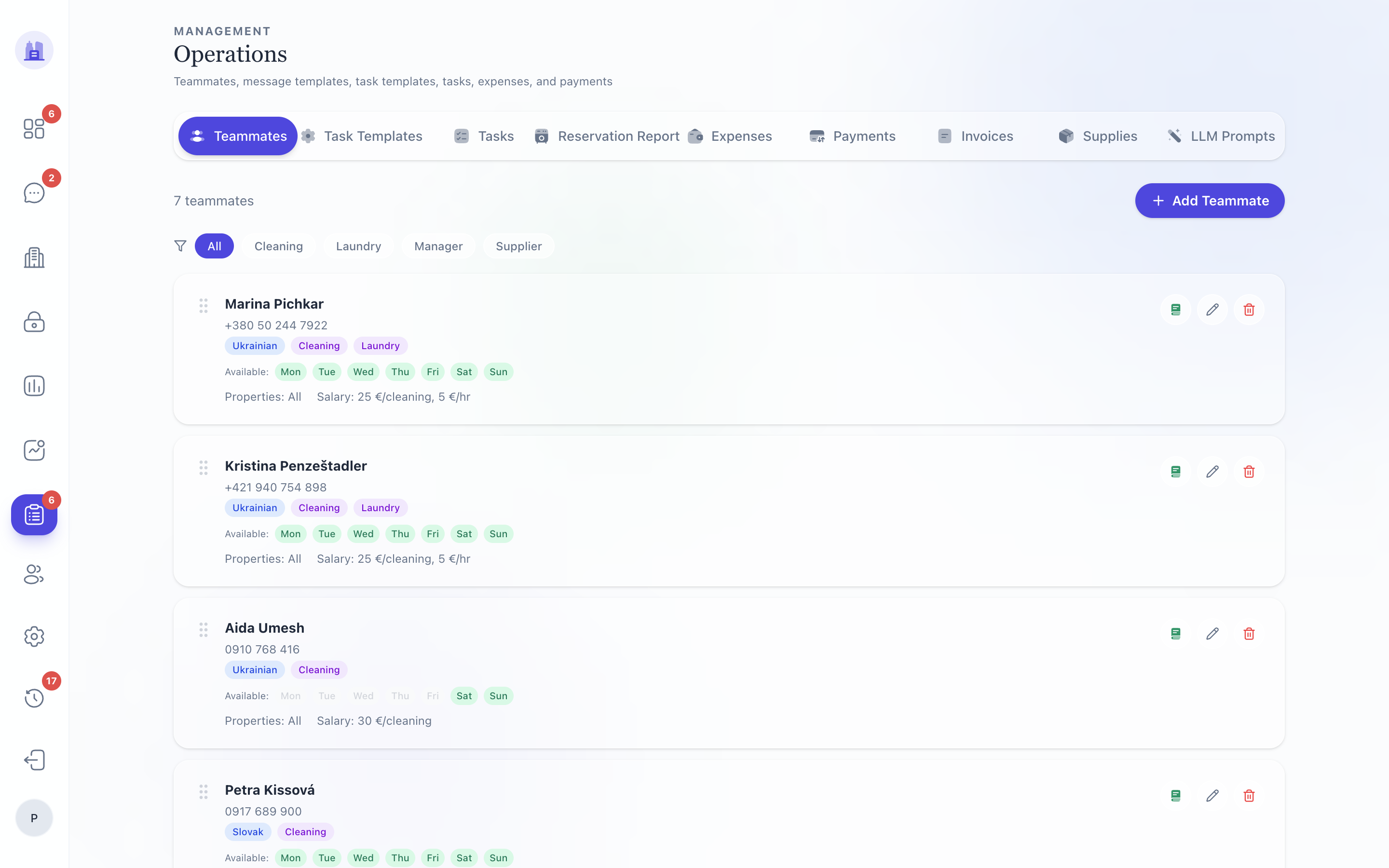
The people who act inside your tenant — hosts, cleaners, admins — and the access codes that let them in.
In this section
- Teammates — adding, editing, and removing teammates
- Access Codes — per-teammate Nuki PIN and 2N QR codes
- Cleaner Walkthrough — the
plánWhatsApp flow cleaners use day-to-day
Where it lives
- Team & Account (
/v28/team-accountor the legacy/operations/teammates) — the operator-facing list and editor. - Each teammate row links to the editor modal where you set role, language, access codes, and assigned properties.
Roles
| Role | Sees | Can change |
|---|---|---|
admin (tenant) |
All data in one tenant | Everything in one tenant |
superadmin |
All data across tenants | Everything, plus tenant settings |
host |
Assigned properties | Mark tasks done, reply to guests |
cleaner |
Their plán of cleanings |
Submit photos & status via WhatsApp |
viewer |
Read-only reports subset | Nothing |
Lifecycle of a teammate
- Add the teammate via the editor — name, role, language, WhatsApp number.
- Assign properties they're responsible for.
- Generate access codes — Nuki PIN, optionally a 2N QR code (per #164 the V28 editor now has the full controls, matching the legacy editor's surface).
- Send guestbook URLs (optional) — per-teammate guestbook link for hosts who want a personalised page.
- Role ends — remove the teammate. The access-code revoke step revokes the Nuki PIN (per #166).
Related issues
- #164 — V28 Team & Account: access-code editor, per-teammate guestbook generation, Generate Nuki PIN + 2N QR.
- #166 — Removing teammate access code revokes Nuki PIN.
- #215 — V28 Edit Teammate modal now uses V28 design system (was embedding legacy form).
- #171 —
assign_cleanertask action respects May-16 unassignment guard. - #151, #182, #210, #212 — cleaner WA walkthrough series.
Source: the FlatsBratislava operator manual.