Reservations
A reservation is one stay — one property, one guest party, one check-in date, one check-out date. Reservations enter the platform via webhook from a booking channel (Hospitable is the primary aggregator); the system then generates the tasks that turn a booking into a smooth stay.
In this section
- Reservation List — finding and filtering reservations
- Send Check-in — the critical workflow that delivers PIN + arrival instructions
- Messages — the per-reservation message thread (in-app + WhatsApp)
Lifecycle of a reservation
Hospitable webhook
        ▼
Reservation created
        ▼
Task templates fire on reservation.created
   ├─ Schedule cleaning (assigned to cleaner)
   └─ Generate access code (Nuki API → guests.nukiAccessCode)
        ▼
~24h before check-in
   ├─ Send Check-in instructions to guest (PIN + arrival info)
   └─ Confirm arrival window
        ▼
At check-in time
   ├─ (auto-resolve) Cleaning Done → Mark check-in ready
   └─ (operator notify if delayed)
        ▼
During stay
   └─ AI handles inbound guest messages, ops handles edge cases
        ▼
~2h before check-out
   └─ Send pre-checkout reminder (auto-resolves if guest acknowledged)
        ▼
After check-out
   ├─ Mark cleaning required
   ├─ Send thank-you message
   └─ Request review
Where to find a reservation
- Reservation List (
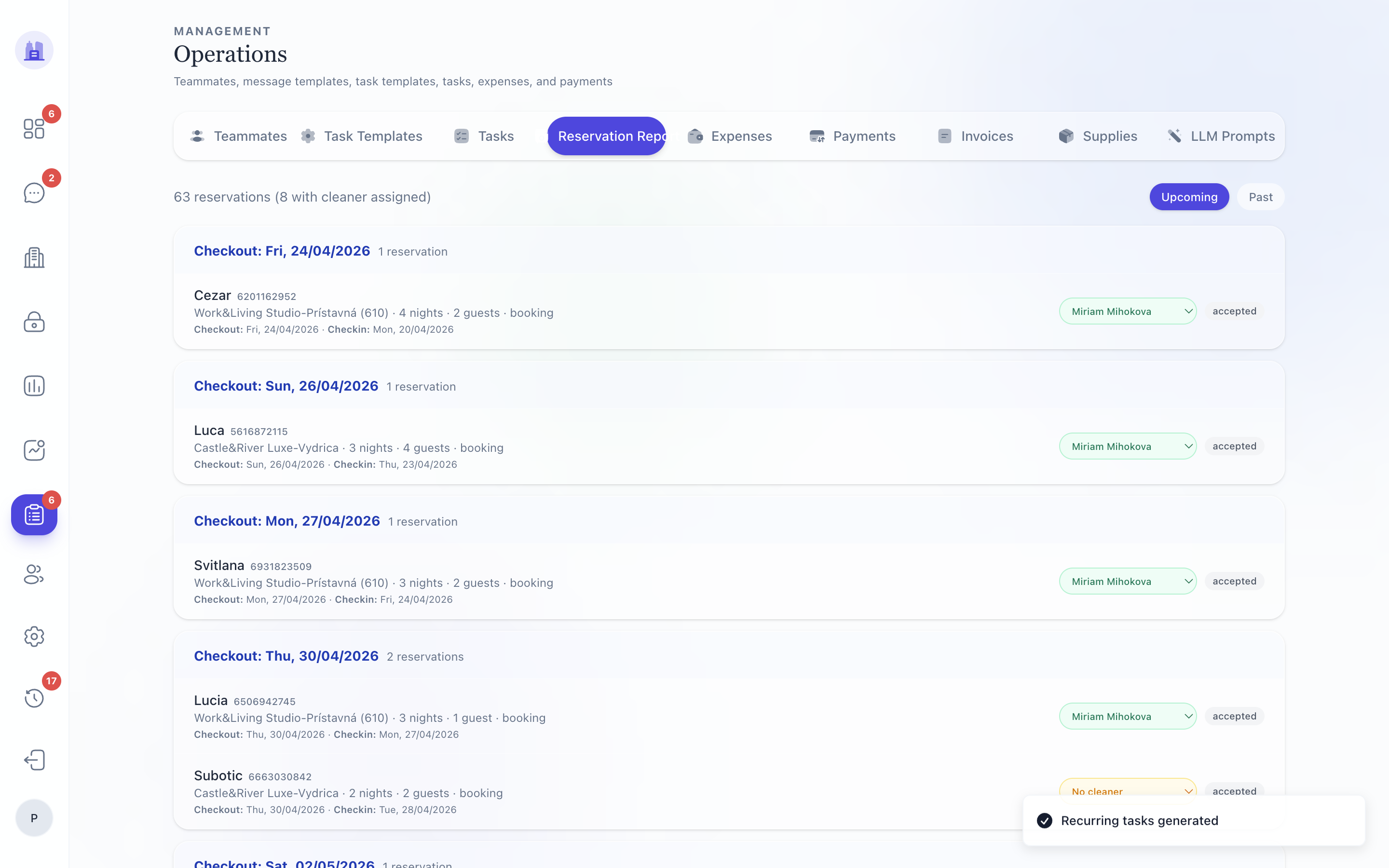
/reservations) — paged table of all reservations. - Reservation Report (
/v28/reports/reservations) — operator-friendly view with columns for revenue, payouts, status. See Reports → Reservation Report. - Pulse dashboard — today's check-ins and check-outs are surfaced as cards.
Reservation status
| Status | Meaning |
|---|---|
confirmed |
Booking confirmed; will produce tasks |
cancelled |
Booking cancelled; outstanding tasks are auto-cancelled |
checked-in |
Guest has arrived (set by PIN-use event or manually) |
checked-out |
Guest has departed |
archived |
Historical; hidden from default views |
Status transitions are driven by both webhook events (Hospitable telling us check-in happened) and by Nuki events (PIN was used at the door).
Why a reservation has multiple guest rows
When a booking arrives, the platform creates one canonical guest row for the reservation. But if Hospitable re-syncs the booking — common during the first few hours after creation — the platform may create additional rows.
These rows are mostly identical except that only the latest one carries the Nuki PIN code. The platform's canonical-row picker (in taskCompletionChecker) is supposed to always pick the row with the populated PIN. If you ever see a Send Check-in task BLOCKED because "reservation.nukiAccessCode is_not_null" is false — and you've confirmed in Smart Lock that a PIN exists — that's the bug surfaced in #260. The fix in commit baa96065 makes the picker prefer rows with non-empty PIN codes.
See Send Check-in for the workflow you'll use to manually unblock these.
Related issues
- #260 — canonical-guest-row selection.
- #137 — NULL
propertyNameon reservation6147057327. - #231 — Send Check-in silent-success in actionExecutor (closed; predecessor of #260).