Teammates
The teammate editor is where you manage the people on your team and what they can do inside the tenant.
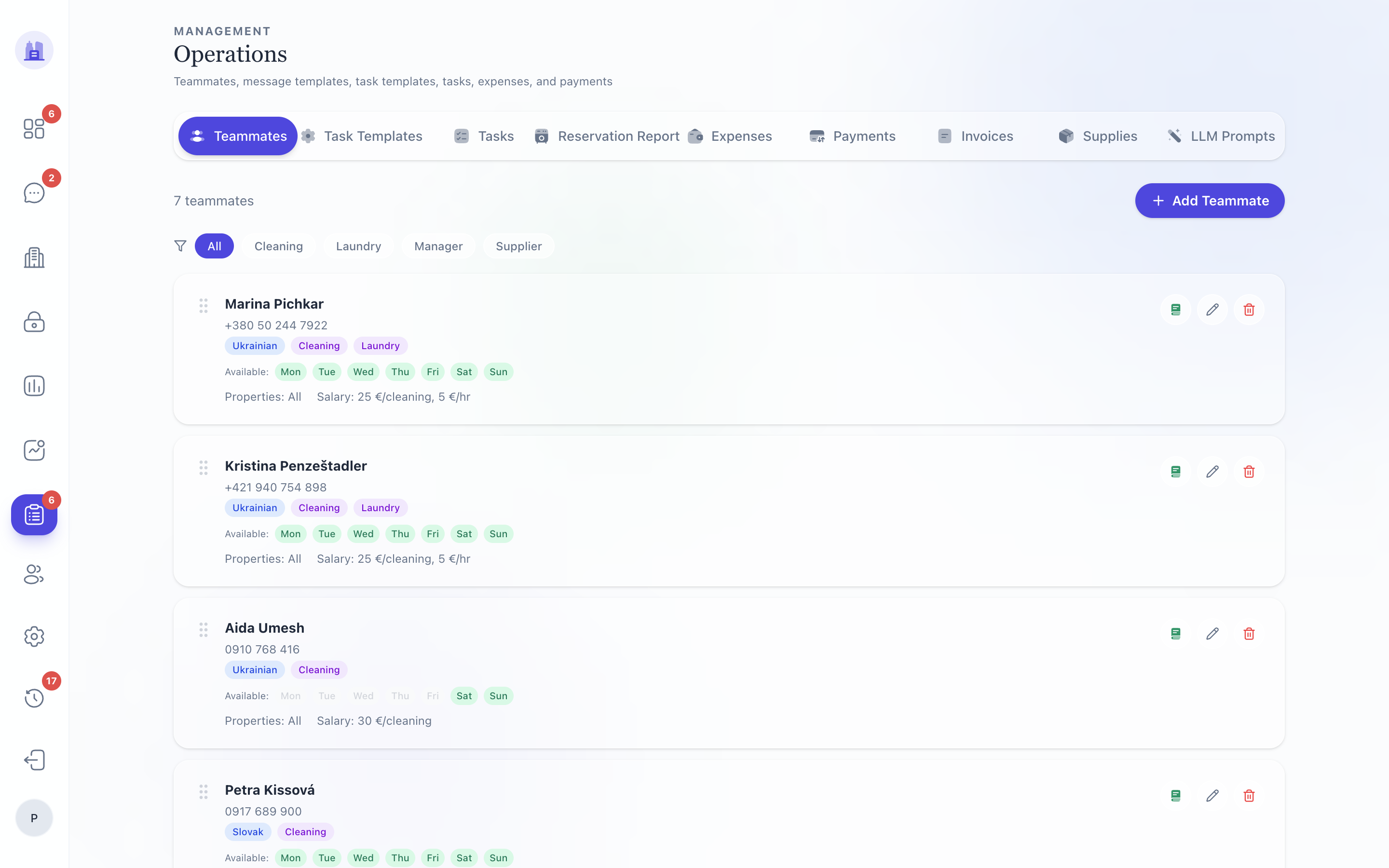
Opening the editor
- Team & Account (
/v28/team-account) — the V28 page. Each row links to the editor modal. - Operations → Teammates (
/operations/teammates) — the legacy page; same data, older styling.
After #215, the V28 Edit Teammate modal uses the V28 design system instead of embedding the legacy form unchanged. The two surfaces now stay visually consistent.
Fields on the editor
Basics
- Name — display name in the dashboard, task notifications, message threads.
- Role — admin / host / cleaner / viewer.
- WhatsApp number — international format (e.g.
+421900111222). Used for all outbound routing to this teammate. - Email — for invoice CC and tenant communications.
Language
language— the teammate's communication language (e.g.en,sk). This is what AI Suggest writes outbound replies in unless the guest's language is in thenoTranslateLanguageslist.noTranslateLanguages— JSON array of language codes the teammate preserves verbatim. E.g.["sk","cs"]means "when the guest speaks Slovak or Czech, write back in their language; otherwise use my comm language".
See Communications → Languages for the full decision tree.
Properties assigned
A multi-select of properties this teammate is responsible for. Tasks for unassigned properties don't route to this teammate.
Access codes
After #164, the V28 editor exposes the full access-code surface (it was previously a gap vs the legacy editor):
- List of currently-assigned codes — per property, with an
×to remove each code. - Add code from existing Nuki list — pick from PINs already on the lock.
- Generate new Nuki PIN + 2N QR — provision a fresh PIN, generate the matching 2N intercom QR, attach to the teammate.
See Access Codes for the full lifecycle.
Guestbook URLs
Per-teammate guestbook URLs that can be sent to a guest as part of a customised onboarding flow. The Generate guestbook for teammate button (restored in #164) creates the URL and copies it to your clipboard.
Delete teammate
Removes the teammate row. Access codes are revoked from Nuki (per #166) and the teammate stops appearing in routing.
⚠ Deleting a teammate doesn't reassign their open tasks — they stay in the system pointing to a non-existent assignee. Reassign open tasks before deleting, or run a cleanup script.
Common operations
Onboarding a new cleaner
- Open Team & Account → New teammate.
- Name, role = cleaner, WhatsApp number, language =
sk. - Assign properties she'll clean.
- Generate Nuki PIN + 2N QR for each property.
- Save. She'll start receiving cleaner-WA notifications immediately.
- Send her a welcome message explaining the
plánWA flow — see Cleaner Walkthrough.
A cleaner is leaving
- Reassign her open cleaning tasks to another cleaner (Operations → Tasks → filter by assignee → bulk reassign).
- Open her teammate row.
- Click Delete teammate. Confirmation modal shows the codes that will be revoked.
- Confirm. Nuki PINs revoke within a minute.
Changing roles
Edit the teammate's role. The change is immediate; the teammate sees the new permission set on next page load.
Related issues
- #164 — V28 Team & Account feature parity (access codes + guestbook generation).
- #166 — code removal revokes Nuki PIN.
- #215 — V28 modal uses V28 design.
- #171 —
assign_cleanerhonours May-16 unassignment.