Tasks
A task is one unit of operational work tied to one reservation. Almost every per-stay action — generate the access code, schedule cleaning, send the check-in message, ask for a review — runs through a task.
Tasks are not created by hand. They are generated by task templates, which fire on reservation events (created, check-in, check-out, after check-out) and produce concrete task rows in the database.
In this section
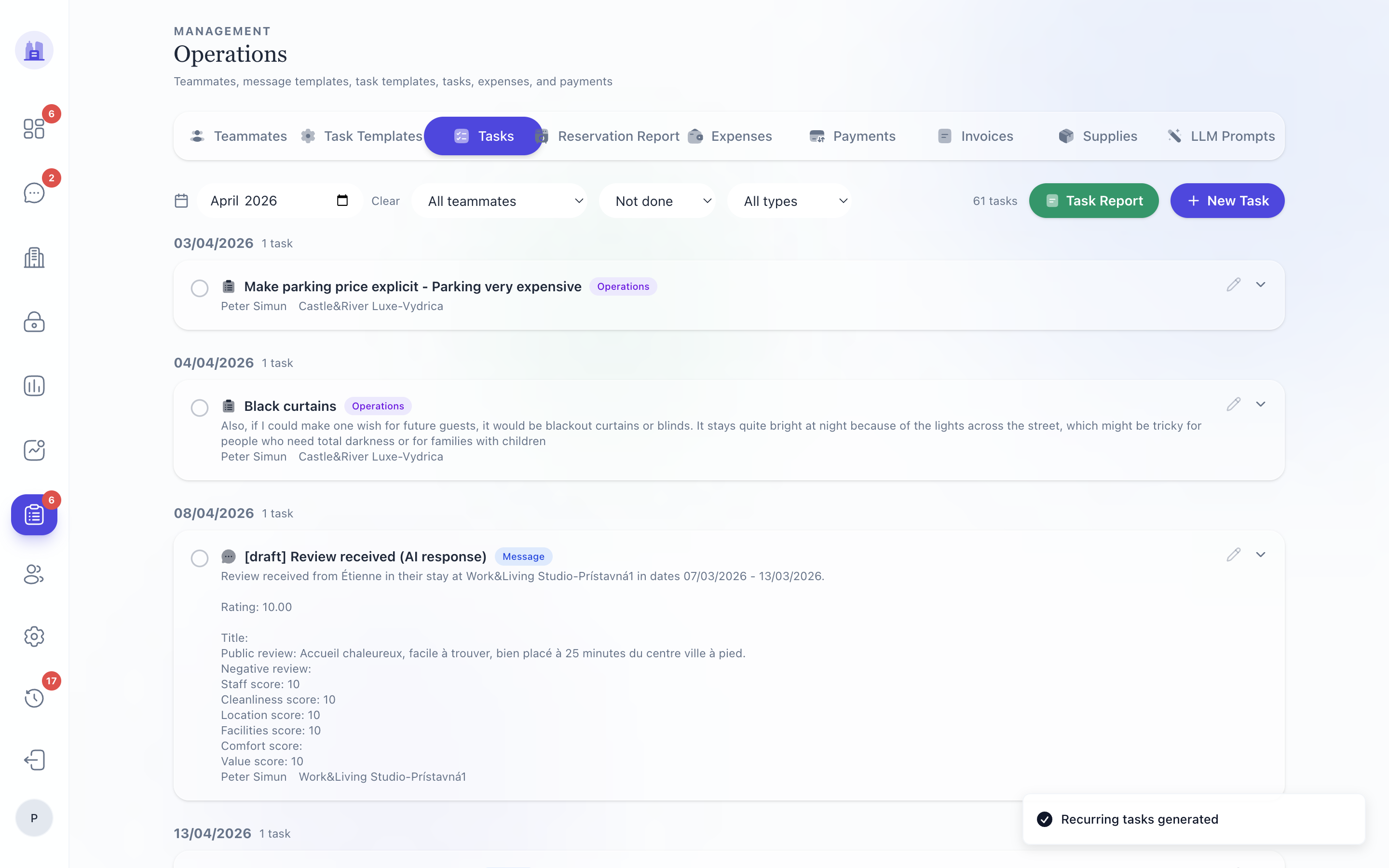
- Task List — Operations Tasks (
/operations/tasks) and how to navigate it - Task Card anatomy — what each field on a task card means
- Auto-resolve — how tasks complete themselves and what blocks them
- Manual trigger — overriding the cron, firing a rule by hand
- Notifications — how tasks reach teammates via WhatsApp
Where tasks appear
| Surface | What you see |
|---|---|
| Pulse dashboard | Today's work and scheduled auto-resolves |
| Operations → Tasks | The full filterable list |
| Per-reservation detail | Only the tasks for one reservation |
| Tasks routed to your role arrive as interactive button notifications |
Task status
| Status | Meaning |
|---|---|
not_done |
Default state when the task is created |
scheduled |
The task has a scheduled fire time (auto-resolve will evaluate then) |
done |
Completed (manually or via auto-resolve) |
cancelled |
Cancelled (e.g. reservation was cancelled) |
failed |
Auto-resolve attempted but action failed; surfaced for manual review |
After #180, a task whose action was silently skipped goes to failed with a reason — no longer to done.
Auto-resolve in one paragraph
A task's checklist can include an auto-complete checklist item with automaticType = 'scheduled_time'. The item carries a fire time (HH:MM, e.g. "19:00") and a list of conditions. At fire time, the cron evaluates the conditions; if all are met, the task is marked done and the action runs. If any condition is not met and the item has notifyOnNotMet: true, the operator gets a WhatsApp notification at fire time. Full details in Auto-resolve.
Related issues
- #214 — auto-resolve cards show the scheduled fire time.
- #180 — silent-skip semantics; auto-resolve no longer marks tasks done when send was skipped.
- #181 — admin-photo notification flood eliminated.
- #171 —
assign_cleanertask action respects the May-16 unassignment fix. - #173 — loading-state UX convention for tasks list.