Supplies
How to monitor supplies
The day-to-day loop for keeping consumables stocked without spreadsheets: read the inventory, trust the low-stock tasks, feed it receipts.
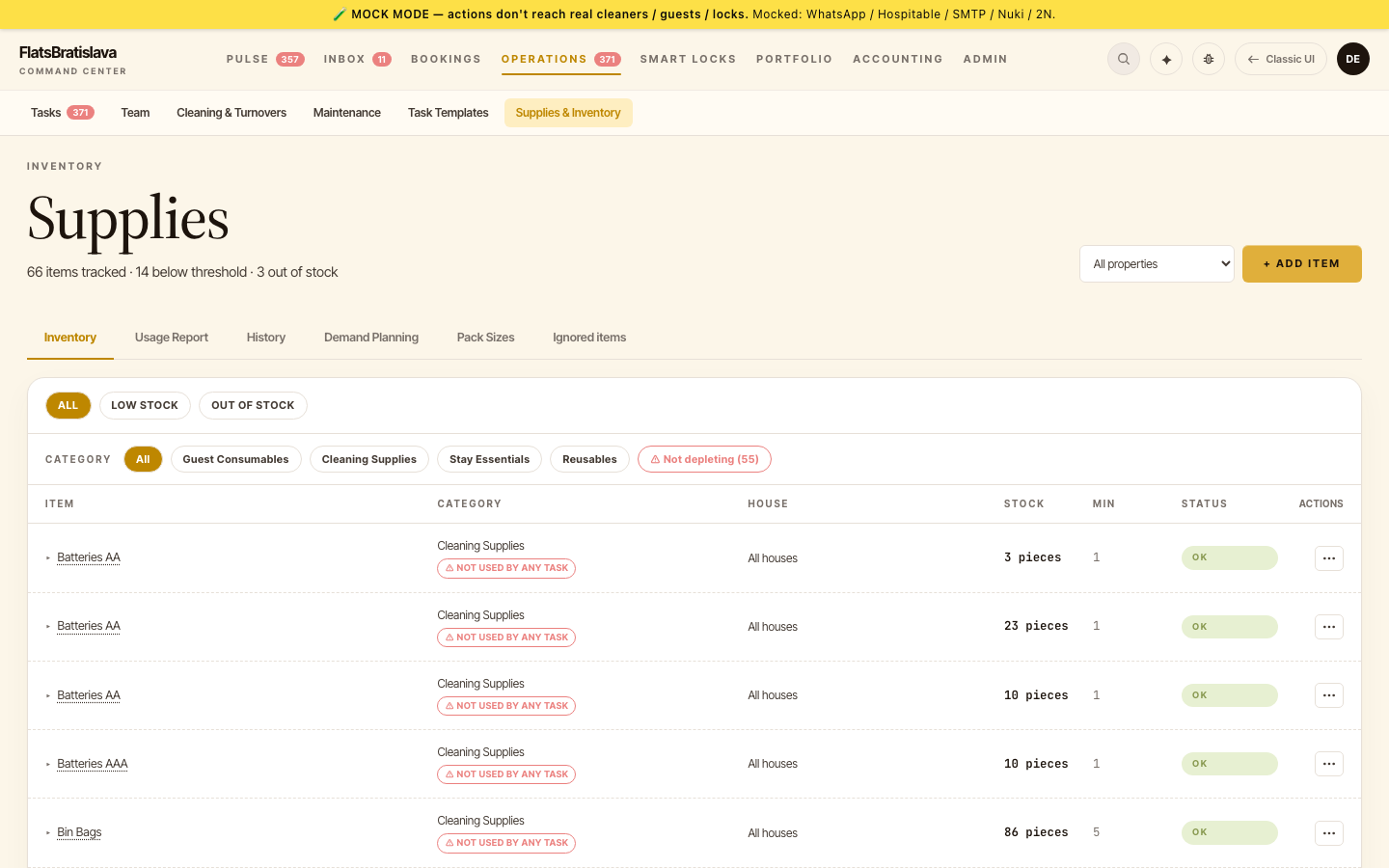
The daily glance
- Open Operations → Supplies.
- Scan the inventory list — each row shows current stock, the reorder threshold, and the unit (pcs / litres / kg). Rows under threshold are flagged.
- You normally don't need to do even this — when a supply drops below its threshold, the platform spawns a restock task automatically and routes it to the right teammate. The task IS the monitoring.
When a restock task fires
- The task ("Restock Coffee Capsules at Hilltop Retreat") lands in Operations → Tasks and the assignee's WhatsApp.
- Buy the item, then either: - Upload the receipt (Receipt ingestion) — the parser reads the line items, expands packs to base units via Pack sizes, and books the quantity into stock automatically; or - Adjust stock by hand on the supply row.
- Stock crosses back above the threshold → the restock task auto-resolves (Auto-close behavior). Nothing to tick off.
Weekly hygiene checks
- Not depleting filter — shows supplies no cleaning checklist ever consumes. A supply that never depletes usually means the checklist is missing its
use_suppliesaction, so stock silently diverges from reality. See Consumption categories. - ⚠ stale-stock chip — stays have happened but stock hasn't moved; same root cause, surfaced per-row.
- History — the per-supply ledger of every consumption + restock event, for when a number looks wrong and you want to know why.
What to configure once
| Setting | Where | Why it matters |
|---|---|---|
| Reorder threshold | supply row | Too low → you run out before the task fires; too high → task noise |
| Unit + container size | supply row (Units) | Percent-based consumption ("20% of a bottle") is computed per container |
| Pack sizes | Pack sizes admin | Receipts book the right base quantity (2 packs → 20 capsules) |
| Consumption in checklists | Task Templates → cleaning checklist | Every stay auto-deducts what the cleaning used |
Source: the luxury.host operator manual.