Tasks
How to run daily operations
The operator's daily loop: one screen to start from, three queues to clear, and knowing when NOT to act because the automation will.
Morning: start on Pulse
- Open Pulse — today's check-ins, check-outs, and turnovers are on the first card, with the Needs decision queue right below (guest questions and approvals waiting on you).
- Clear Needs decision first — these are the only items that genuinely block on a human.
The three task queues
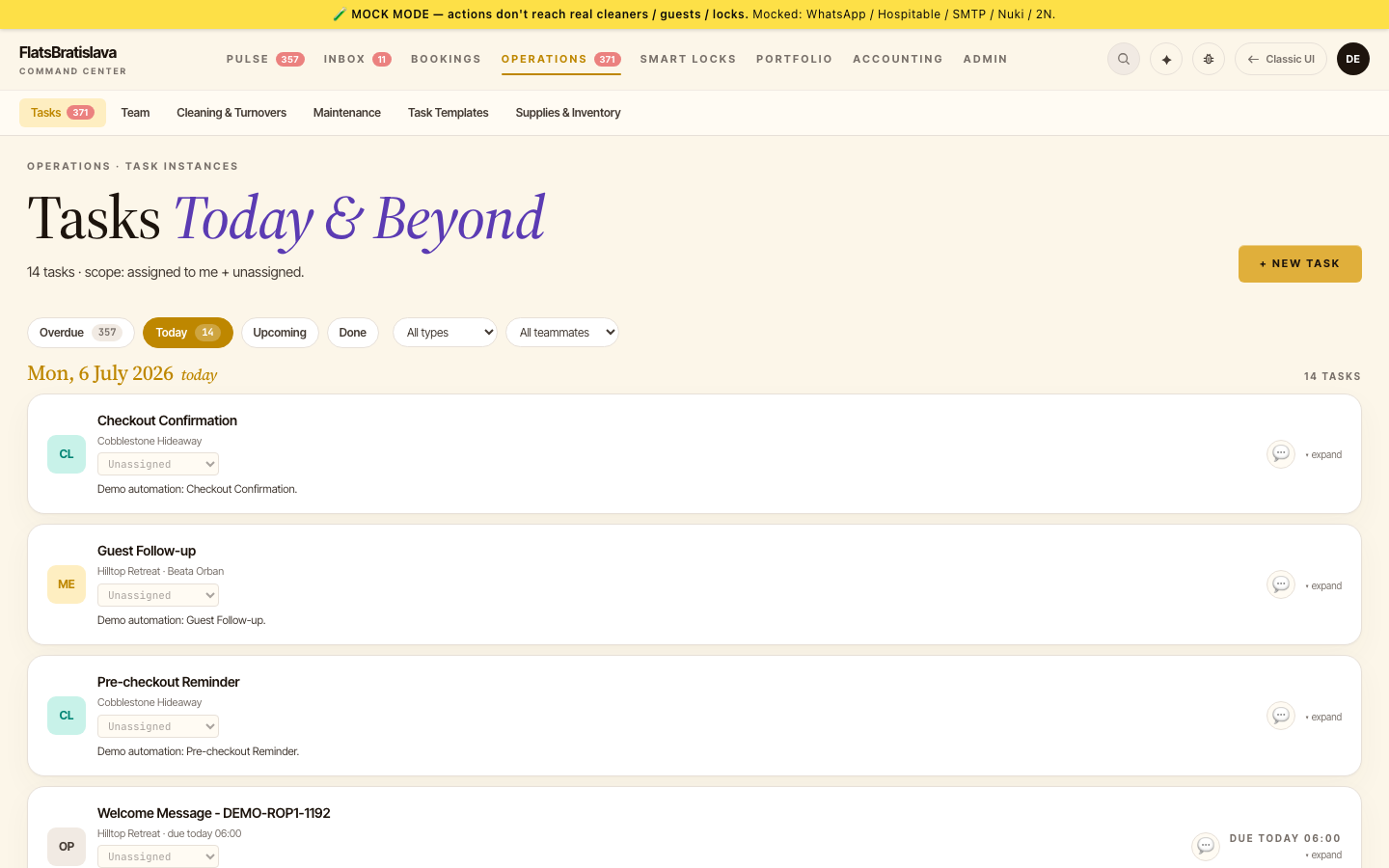
Open Operations → Tasks and work the filter chips left to right:
| Chip | What it holds | What to do |
|---|---|---|
| Overdue | Tasks past their fire time that couldn't complete | Open each card — the reason is on it (blocked condition, failed send). Fix the cause, then RUN CHECK or RESOLVE |
| Today | Everything scheduled for today | Mostly informational — AUTO tasks resolve themselves at their fire time. Intervene only when a card shows ⚠ condition not met |
| Upcoming | The forward queue | Glance for anomalies (a check-in with no access-code task, an unassigned cleaning) |
The rule of thumb: a card marked AUTO with no warning needs nothing from you. The system escalates by WhatsApp when it can't proceed — chasing green cards is wasted time.
During the day
- Guest messages — Inbox. AI drafts a suggested reply in the guest's language; review, edit if needed, send.
- Cleaning — cleaners run their own WhatsApp walkthrough (Cleaner walkthrough); their progress lands in Operations → Cleaning & Turnovers. You only see a task if something goes wrong (issue reported, cleaning unassigned).
- A blocked auto-task pinged you — the WhatsApp notification names the failing condition (e.g. "reservation.nukiAccessCode is_not_null"). Fix the condition (generate the PIN, answer the guest), then let the next check pass — see Auto-resolve.
Evening: 2-minute close
- Overdue chip → should be empty. Anything left, resolve or reschedule.
- Pulse Needs decision → empty.
- Tomorrow's check-ins each have a
doneGenerate access code task — see Send Check-in if one is blocked.
Everything else — review requests, pre-checkout reminders, supply restocks — fires on its own schedule. See How to monitor supplies for the supplies side of the loop.
Source: the luxury.host operator manual.